Risk score
Scores code from 0 to 100, labels Low, Review Recommended, or High Risk, and explains confidence based on snippet length, signal density, and how many independent clues appear together.
Developer-first code review
Spot AI-written risk, quality hazards, and similarity cues before grading, hiring, or shipping. Guests get 2 free scans; signed-in reviewers get 5.
Open the console free. Upgrade when the free scans are used.
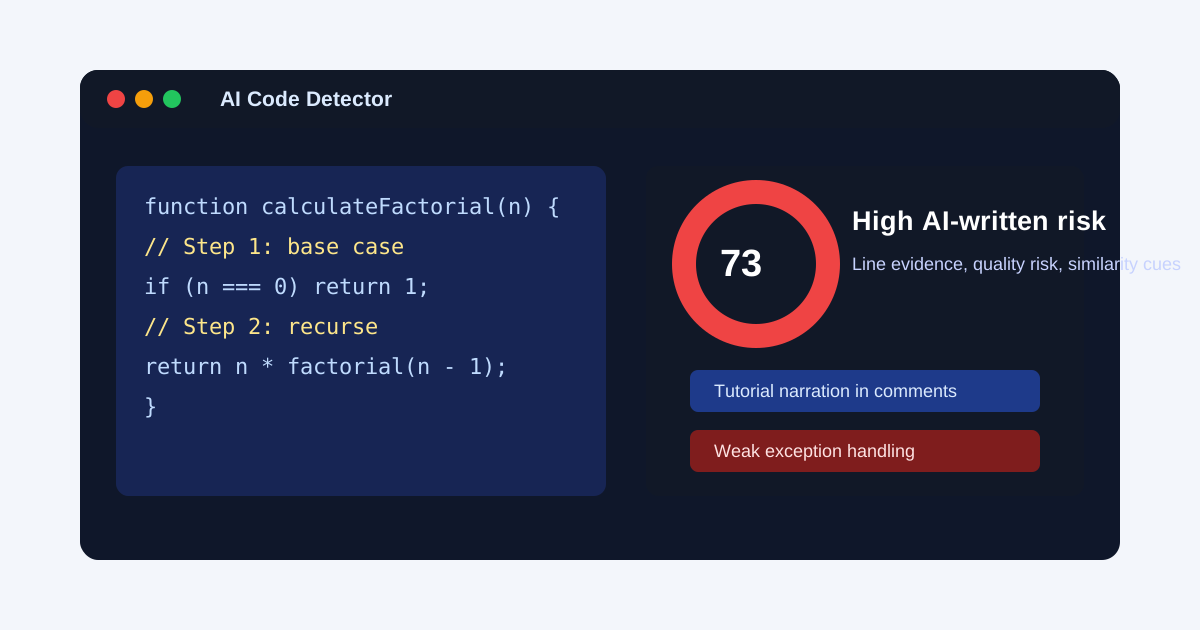
function calculateFactorial(n) {
  // Step 1: check the base case
  if (n === 0) return 1;

  // Step 2: recursively calculate result
  return n * calculateFactorial(n - 1);
}

try {
  processData(resultData);
} catch (error) {
  console.log(error);
}
Live evidence board
High AI-written risk
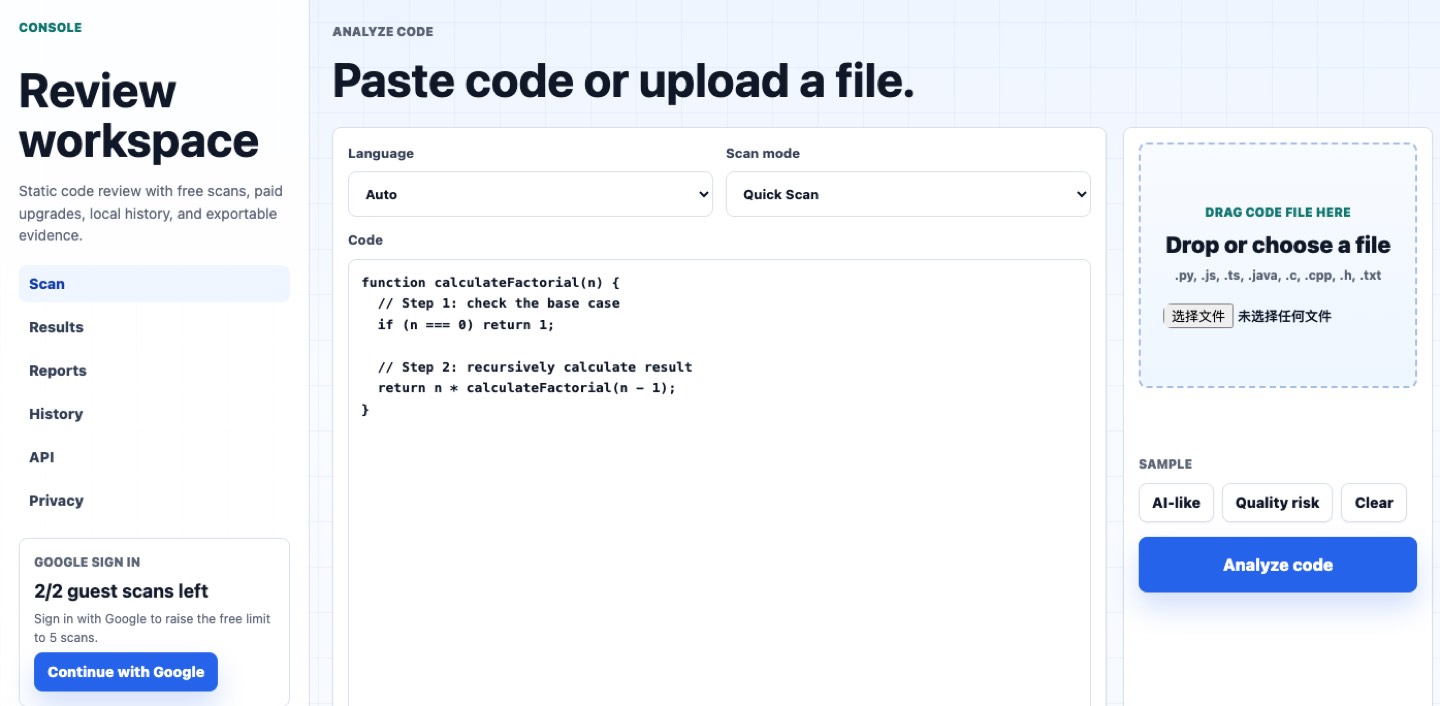
Product journey
The console is built around one primary path: paste code or drop a file, run analysis, inspect the evidence, then export a reviewer-ready report.
What it is
An AI code detector helps reviewers inspect whether code looks machine-assisted, copied from common samples, or too risky to accept without a deeper conversation.
The AI Code Detector review console is built for schools, hiring teams, assessment vendors, and engineering groups that need a faster way to handle suspicious submissions. The tool reads pasted code or uploaded files, scores the chance that a snippet contains AI-written patterns, and separates the result into signals a reviewer can inspect. It does not run the code, does not decide guilt, and does not replace human judgment.
The main job is to make high-stakes review less noisy. A teacher can use the scanner to decide which assignment needs a short explanation interview. A hiring manager can use the report to route a take-home exercise into a deeper technical discussion. An engineering lead can use the console to catch generated-code risks before a pull request turns into production maintenance debt.
The strongest use cases are grading disputes, hiring screens, vendor code review, code-quality audits, and internal review queues where reviewers need documented reasons to ask better follow-up questions.
Review workflow
The AI Code Detector review console combines authorship-risk clues with practical code-quality checks so the output reads like a review brief, not a black-box accusation.
Scores code from 0 to 100, labels Low, Review Recommended, or High Risk, and explains confidence based on snippet length, signal density, and how many independent clues appear together.
Highlights tutorial narration, generic naming, placeholder imports, unfinished branches, repeated structure, broad exception handling, and comments that sound like generated instructions.
Flags hard-coded secret risk, unsafe dynamic execution, empty implementations, debug residue, fabricated dependencies, shallow error handling, and unbounded loops before code reaches review.
Use cases
Each workflow keeps the same boundary: use the report to open a better review, not to make an automatic final decision.
Use the report as a review trigger, then ask students to explain drafts, decisions, tests, and edge cases. The useful output is not just a number; it is a set of concrete lines and patterns that make the follow-up fairer and more specific.
Route suspicious take-home assignments into a deeper interview instead of losing signal to generic code, copied tutorial patterns, and polished answers that do not match the candidate's live reasoning.
Catch generated-code risks that matter in production: fabricated imports, broad catches, placeholder branches, missing tests, vague ownership, and code that looks complete while hiding fragile assumptions.
Report output
The AI Code Detector review console turns a messy code sample into a structured report that can be read by teachers, recruiters, reviewers, and technical leads.
The report shows the overall risk band, numerical score, confidence note, language, and the strongest factors behind the result so reviewers can separate strong evidence from weak signals.
Signals are grouped into authorship patterns, source-similarity cues, security hazards, maintainability risks, and incomplete-code smells. That makes the result easier to discuss with a human.
Teams can export Markdown for review notes or JSON for workflow systems. The report is built to support a careful follow-up, a second interview, or a documented code-quality decision.
Decision fit
The best results come from enough code context and a reviewer who already knows what decision the scan should support.
The scan is strongest on complete functions, small projects, take-home assignments, lab submissions, utility scripts, and pull-request excerpts where there is enough structure to compare naming, comments, branching, error handling, and dependency choices. Longer code gives the detector more independent signals, which usually makes the confidence note more useful for a reviewer.
The dashboard is also useful when a team needs consistency. Instead of every reviewer describing suspicion in a different way, the exported report gives a shared vocabulary: score, risk band, signal groups, highlighted lines, quality hazards, and recommended follow-up.
The scan is weakest on tiny snippets, boilerplate, textbook exercises, heavily edited AI output, generated tests, and code copied from common documentation. In those cases, the report should lower the decision pressure, not raise it. A low-confidence scan can still be helpful because it tells the reviewer to ask for version history, design notes, live explanation, or a second code sample.
That boundary matters for trust. The product is built to help humans ask better questions before grading, hiring, or shipping, while keeping the final judgment anchored in context the software cannot know.
Trust boundary
No detector can prove authorship from code alone, especially on short snippets, edited AI output, or common programming exercises. The console gives reviewers a faster, safer way to decide what deserves human follow-up.
Questions
Use these answers to set the right expectation before a school, hiring team, or engineering group relies on the dashboard.
No. Code authorship is a probabilistic review problem, especially for short snippets, common assignments, edited AI output, and repeated tutorial examples. The product provides evidence for follow-up, not an automatic verdict.
It looks for patterns such as tutorial-style comments, generic variable naming, unusually uniform structure, shallow error handling, placeholder branches, fabricated imports, unsafe dynamic execution, hard-coded secrets, and source-similarity cues.
The product is built for people who need to make careful decisions about submitted code: instructors, bootcamps, technical recruiters, assessment vendors, code-review teams, and engineering managers reviewing generated-code risk.
The dashboard opens immediately with 2 guest scans. Signing in with email raises the free limit to 5 scans, and payment keeps the console open for repeated review work.